




This post contains sponsored content, but all opinions are my own.
Explore millions of eBooks and audiobooks on Apple Books! In addition to its paid content, you’ll also find a wide selection of free eBooks, including classics and new releases, all with no subscription or monthly commitment. You can also browse curated collections and get personalized recommendations, with new audiobooks and eBooks added every week.
This popular platform is a great place for discovering, purchasing, and enjoying books across your Apple devices. After you select an eBook or audiobook, you can read or listen to it right in the Books app. It is available for Mac, iPad, iPhone and Apple Watch.
Free eBooks to Read on Apple Books
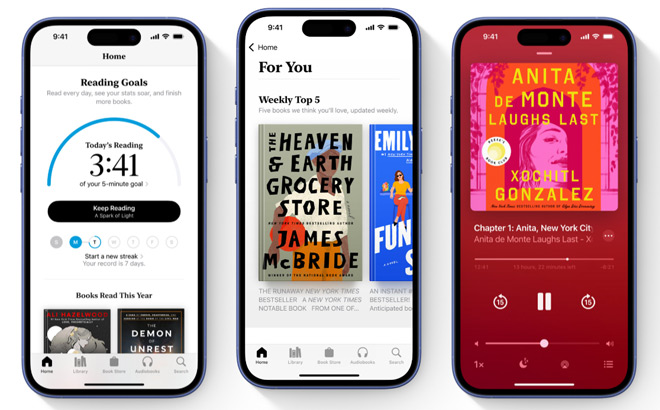
There’s plenty of great books to read for free on Apple Books. You’ll find classics like Pride and Prejudice, Frankenstein, Dracula, Moby-Dick, The Adventures of Sherlock Holmes, as well as top titles including Year One, Shadow’s Keep and more. Here are some categories that you might find interesting:
- Top Free eBooks – find the best Free eBooks to read
including Pride and Prejudice (Jane Austen), The Adventures of Sherlock Holmes (Arthur Conan Doyle), Year One (Nora Roberts) and more! - Top Books – find the top charts for best eBooks to read across all genres
including The Hamptons Lawyer (James Patterson & Mike Lupica), An Inside Job (Daniel Silva) and more! - Top Audiobooks – browse the list of most popular and best selling audiobooks across all genres
including The Perfect Divorce (Jeneva Rose), The Let Them Theory (Mel Robbins) and more! - Reese’s Book Club – every month, Reese Witherspoon chooses a book with a woman at the center of the story (read or listen to her current pick, or browse past selections)
Apple Books Benefits:
- access the vast library of eBooks and audiobooks in various genres, no subscription required
- wide selection of free eBooks, including classics and new releases
- adjust font sizes, colors, themes, and other settings to personalize your reading experience
- books and reading progress are synced across all Apple devices
- sample eBooks and audiobooks before purchasing
- provides personalized recommendations based on your reading history and preferences
- create collections in your library to categorize your eBooks and audiobooks
- use the Reading Goals feature to set reading goals and track your progress
- share your eBooks with up to five family members
- supports both PDF and EPUB formats for imported eBooks
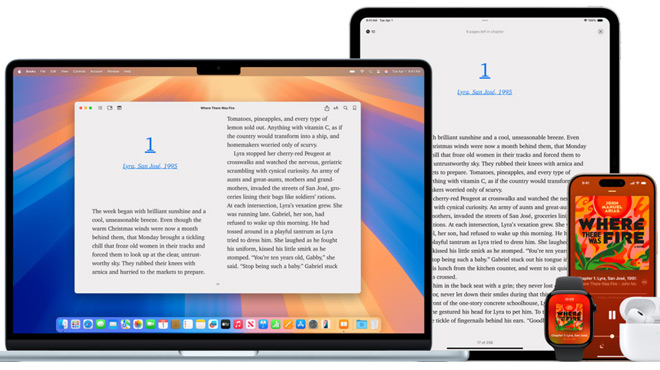
How to Use Apple Books:
- Apple Books is usually pre-installed on Apple devices
(if not, you can download it from the App Store) - Browse the Book Store to explore eBooks and audiobooks
- Once you find a book you like, you can purchase it or download a free sample or title
- Find free eBooks by browsing the ‘Free Books’ section within the Bookstore
- Open the eBook or audiobook in the app to start reading or listening
- Use the app’s settings to adjust the reading or listening experience to your preferences
- Categorize your eBooks and audiobooks by creating collections in your library
- Set a reading goal to encourage yourself to read daily
- Keep track of the eBooks and audiobooks you’re interested in with your ‘Want to Read’ list
Find the perfect book for you on Apple Books!












Share Your Thoughts