



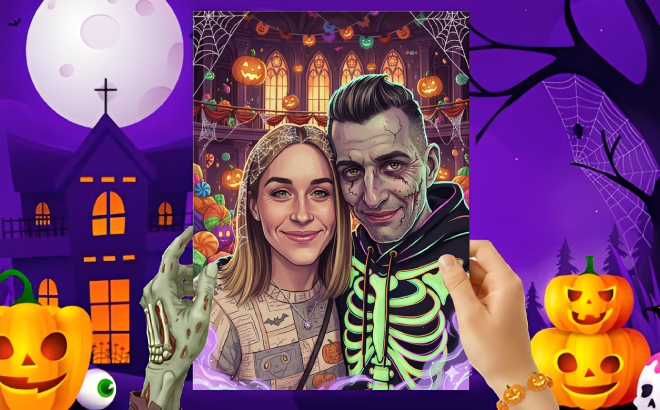
For a limited time, you can get a free 8×10 Zombie Photo Print at CVS! To score this deal, simply follow the steps detailed below. If you prefer just a regular 8×10 print, check the app as you may be able to remove the zombie filter.
Note that you might not be able to get this offer if you already claimed it via a T-Mobile before – based on our readers’ experience.
- Download the PhotoPrints app on your phone (Apple App Store or the Google Play Store)
- Click this link to activate the offer
- Click “OK” when the free print pop-up appears in the app
- Add an 8×10 zombie print to your cart for free
- Choose free in-store pickup at CVS to complete your order

Love Free Stuff? Click here to see all current Freebie offers. Plus, for tips on how to score Free Samples, watch my video here.
















Just ordered mine! Thank you so much.
So glad you got yours!
Expired
My man also ordered one. His came out so much better than mine. I love it.
Looks so awesome! Thanks for sharing a pic!